Turn design intent into GOF scripts and results. Use natural language to drive netlist ECO, investigate non-equivalence, or generate RTL from a specification—from the agentic CLI you already use.
For each task, provide the relevant files, libraries, top module, and constraints. The examples above describe the intent; the complete ECO request below shows the design context.
A WORKED EXAMPLE / RTL-GUIDED ECO
From a design request to a script you can inspect.
The shipped SKILL.md includes examples that map natural language to GOF APIs. Here, the request defines the RTL change, target netlist, and design constraints.
1. Tell the agent what to run
Use GOF to fix netlist $GOFDIR/examples/ai_eco/imp_net.v
Set LLM effort 5
The library is $GOFDIR/examples/ai_eco/art.m.simple2.LIB
The original RTL is $GOFDIR/examples/ai_eco/imp_rtl.sv
The new RTL is $GOFDIR/examples/ai_eco/ref_rtl.sv
The top level module name is testtop
Set test_mode to constant zero
Do not use library cells matching *_1P0 T_*
Example paths refer to the GOF installation. Substitute your own files for a project run.
2. GOF executes the generated script
The agent prepares a Perl script that reads the libraries and RTL, compares the designs, loads the implementation netlist, applies the constraints, and runs the ECO.
gof -run eco_script.pl
ECO script to inspect and reuse.
Updated Verilog netlist for the next stage of your flow.
ECO report and design checks to review the changes.
Review the outputs and verify the changed design against the intended reference. GOF supports LEC and schematic inspection as part of that review.
Inspect the example GOF Perl script
This example follows the conversion in the shipped GOF Skill. eco_script.pl is an illustrative filename; the agent can generate a timestamped filename for each run.
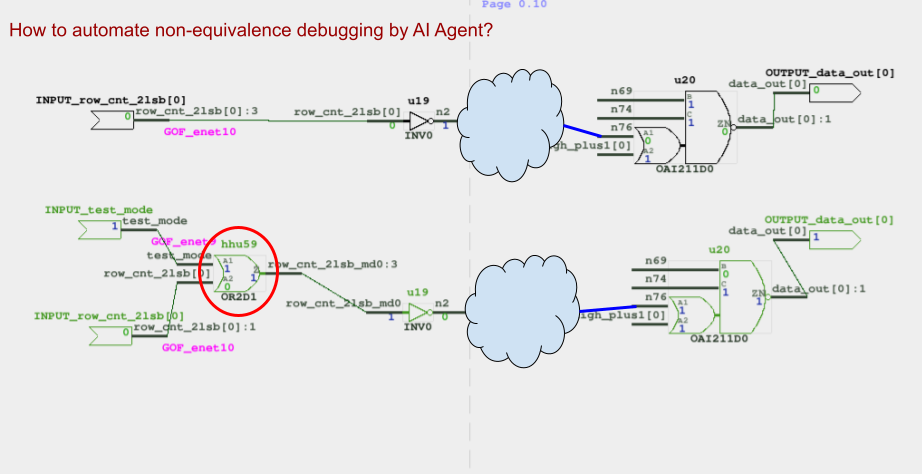
Non-equivalence example from the GOF manual: compare logic values and trace the difference through the circuit. View full size ↗
GET STARTED WITH THE GOF SKILL
Use GOF from your agentic CLI.
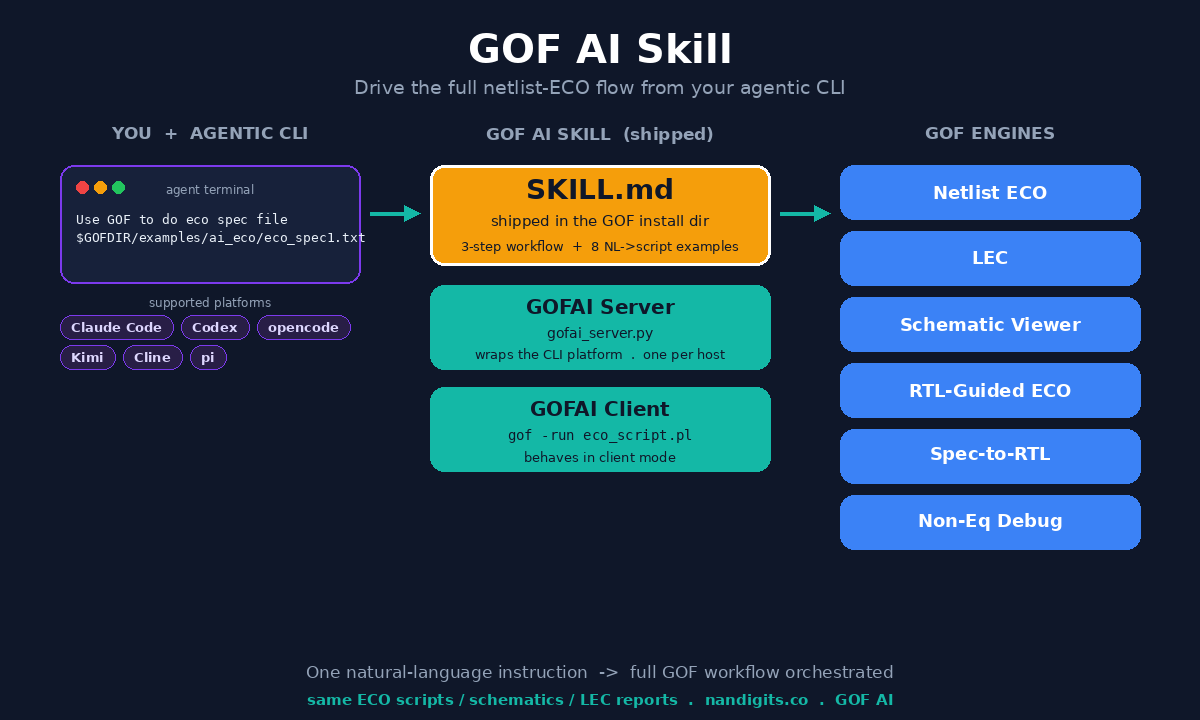
Start with a Linux GOF installation and license, plus a supported CLI configured for your AI provider. The shipped SKILL.md gives the agent the GOF workflow and API examples.
Install GOF.
Request a license, download the release, and set GOFDIR to the directory containing bin/, scripts/, and SKILL.md.
Make $GOFDIR/SKILL.md available through your CLI’s skill setup. It tells the agent how to start the GOFAI server, create a run script, and execute GOF.
Ask for an ECO, LEC run, schematic, non-equivalence investigation, or spec-to-RTL conversion. Include your input files and design constraints.
Use GOF to do ECO spec file
$GOFDIR/examples/ai_eco/eco_spec1.txt
How the GOFAI server and GOF client work together
The server:gofai_server.py wraps the selected CLI platform. Start it once per host and reuse it for subsequent runs.
The client:gof -run <script>.pl runs the generated script in client mode. The agent uses the launch procedure in the shipped skill, including tmux and xterm for a separate run session.
Supported --platform values: claude, codex, opencode, kimi, cline, and pi.