Go back to Features Reference Top
3.8. Add Macro ECO cell.
- Macro ECO cell is a cluster of ECO cells.
- It can be generated by re-synthesizing a module and extract the cluster by GOF command. Extract MacroCell
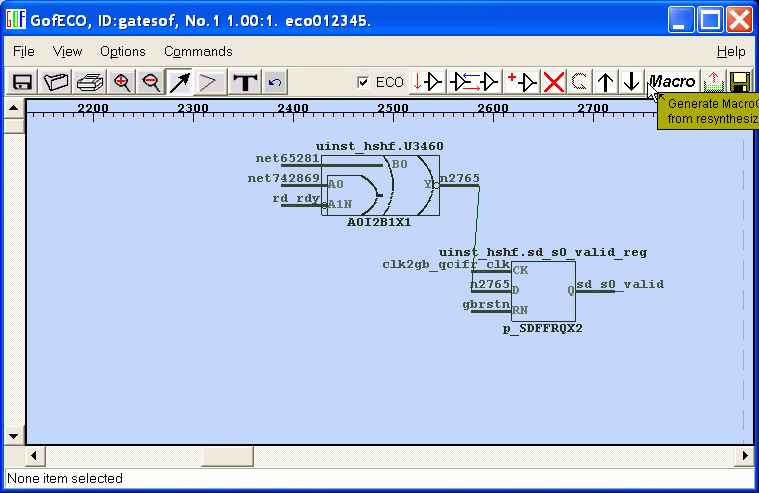
- After the MacroCell is created, you can insert the MacroCell by click on 'Macro' button.
- The Macrocell will drive sd_s0_valid_reg's D input, that is replace U3460 and all its child cells.
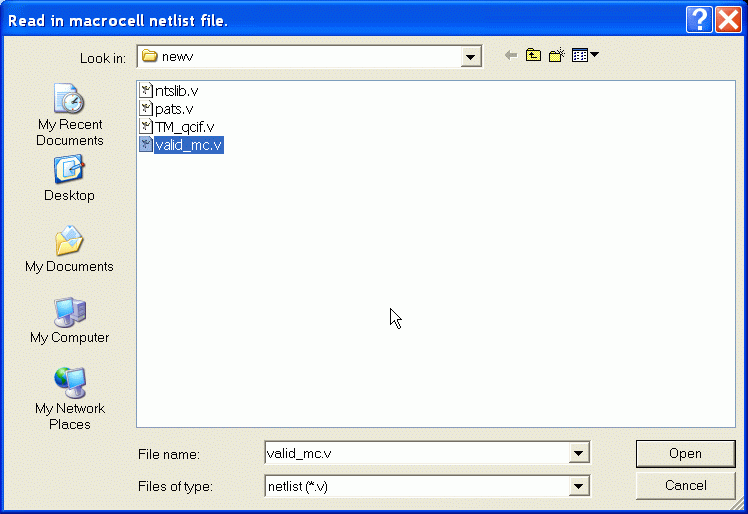
- Load in the Macrocell verilog file.
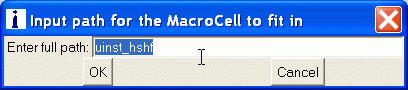
- You need specify which the path which the MacroCell should insert. If you load the FlipFlop sd_s0_valid_reg from GofViewer, the default value in entry should be same as the path of the FlipFlop. "uinst_hshf".
- The MacroCell appears on the Schematic.
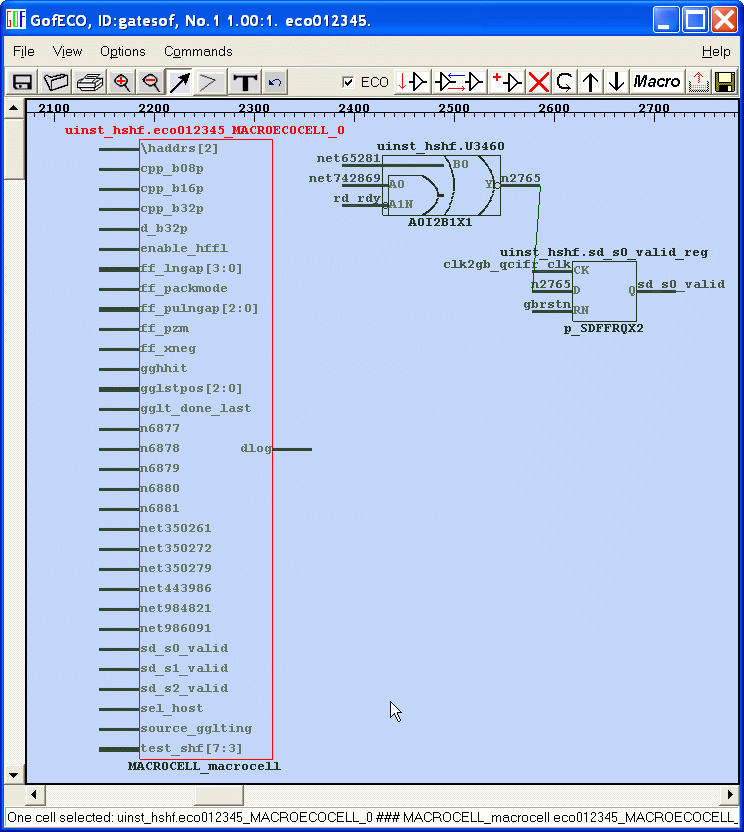
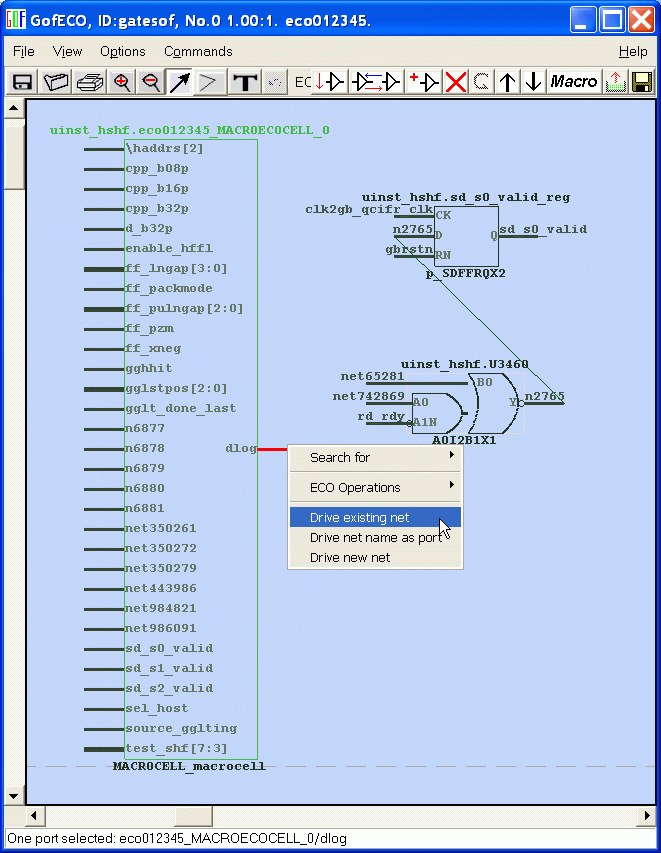
- The port 'dlog' should replace U3460 to drive n2765. So select the pin, mouse-right-click to pop up menu and select 'Drive existing net'.
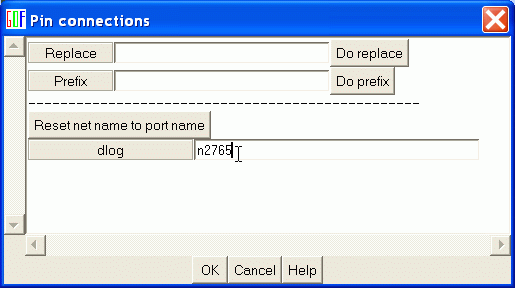
- On the right side of 'dlog', fill in n2765. Ignore 'Replace' and 'Prefix' for now. They are for handy for bus connections. You have no need to type in bus connection one by one. You can click Help for detail.
- 'n2765' appears by the side of 'dlog'.
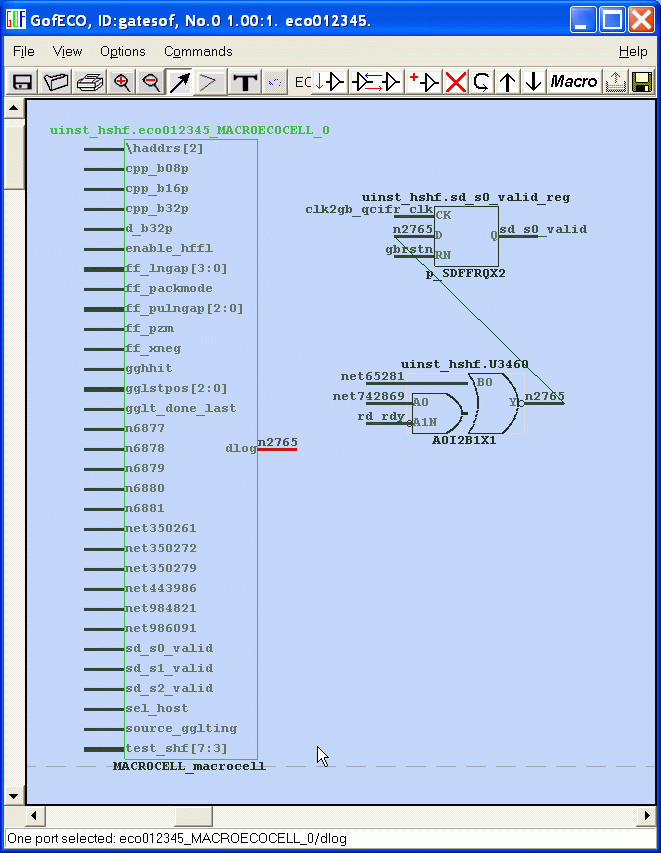
- Select of all the ports that you know they should connect to same net as the port. Mouse-right-click to pop up window and select 'Same as port'.
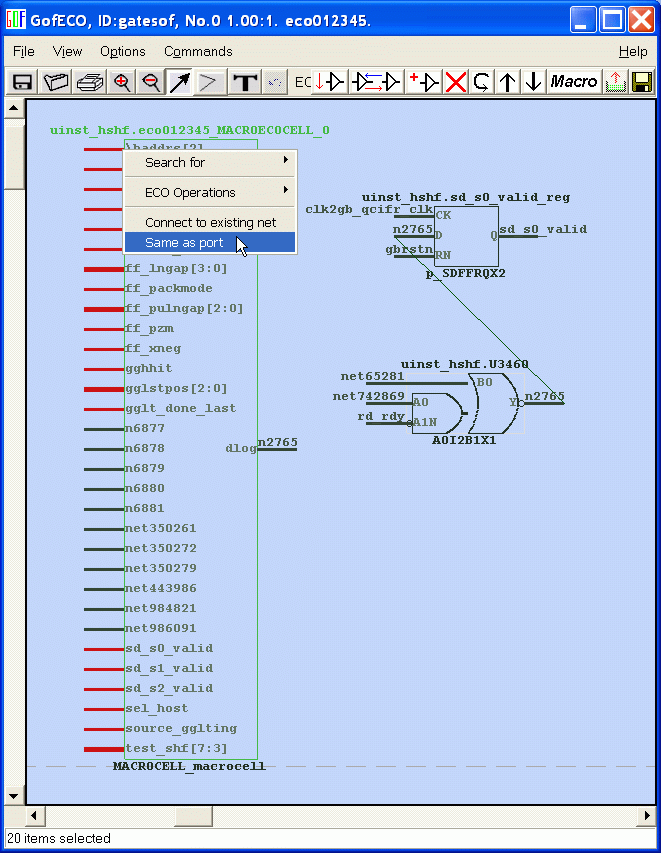
- Nets appear by the side of the ports. Bus is in "{...*...}' format.
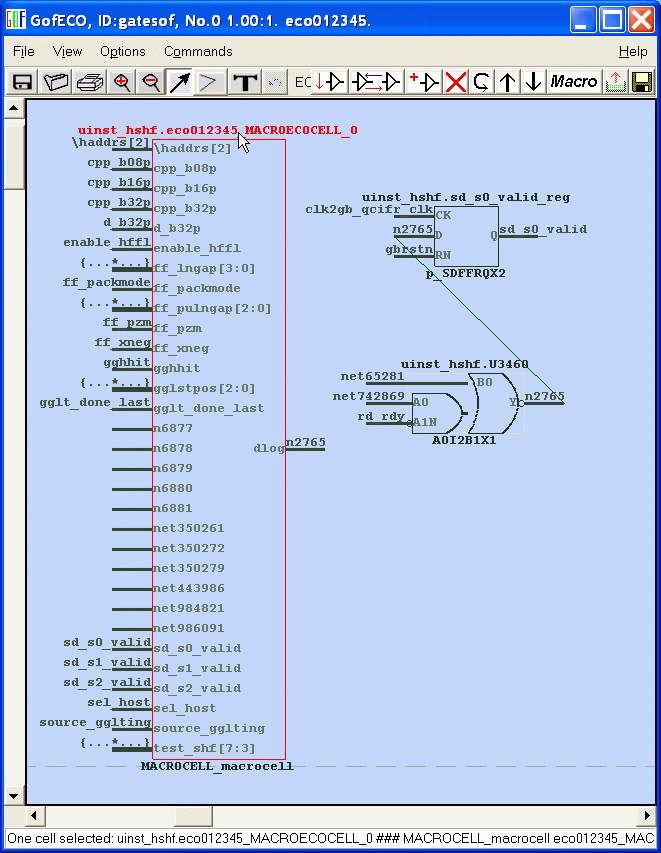
- With some port you are not so sure like n6877, you can select 'Connection hint'.
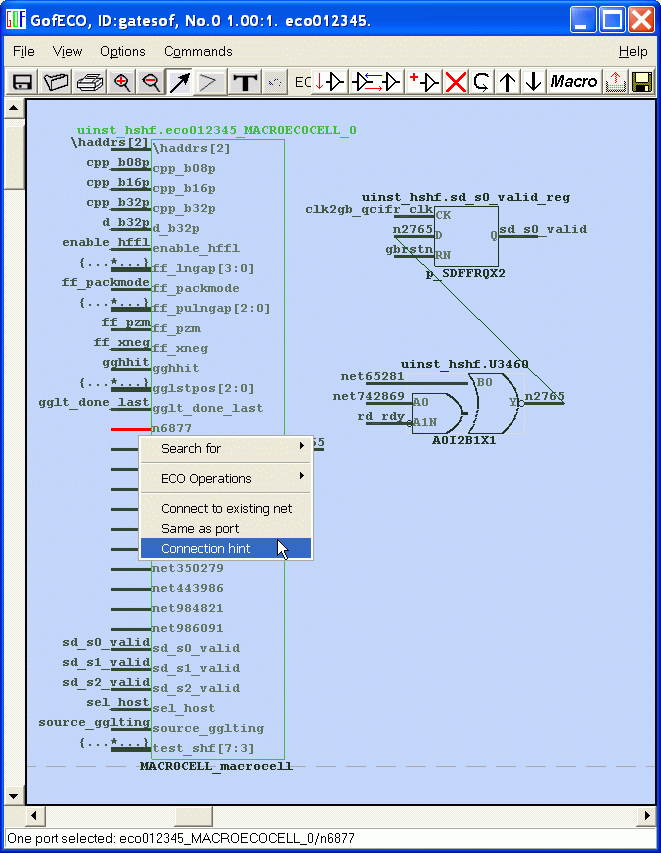
- Connection hint window pops up to show which instance drive the net when the MacroCell is created.
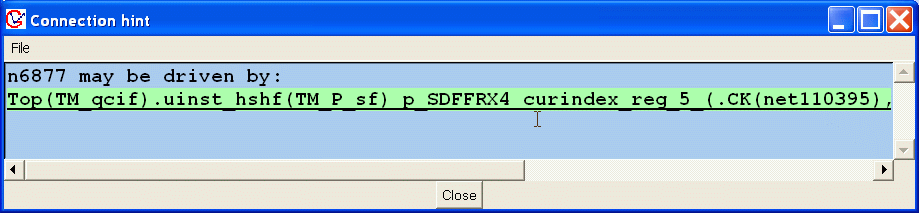
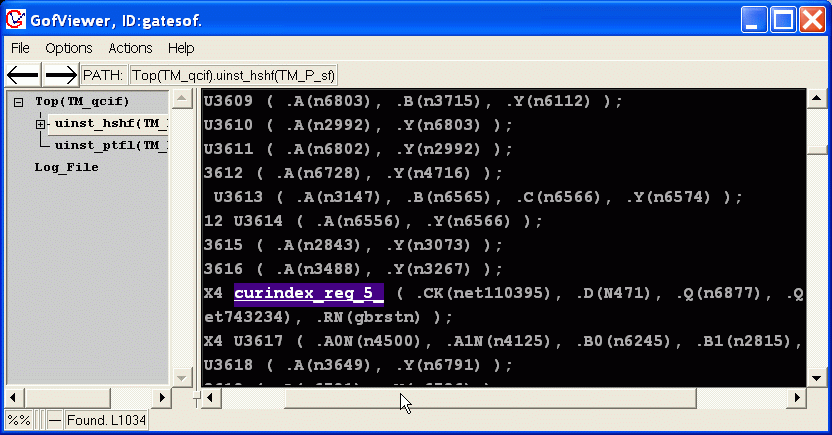
- Double click the line to active GofViewer and highlight the instance.
- You can see '.Q(n6877)', so the port 'n7877' in the MacroCell can connect to same net as the port.
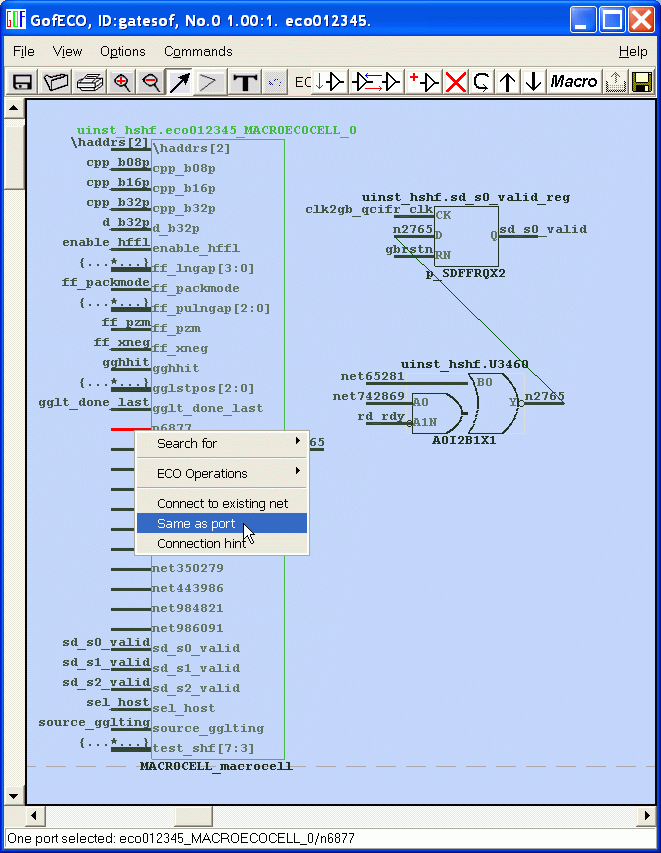
- The net 'n6877' appears by the left side of the port 'n6877'.
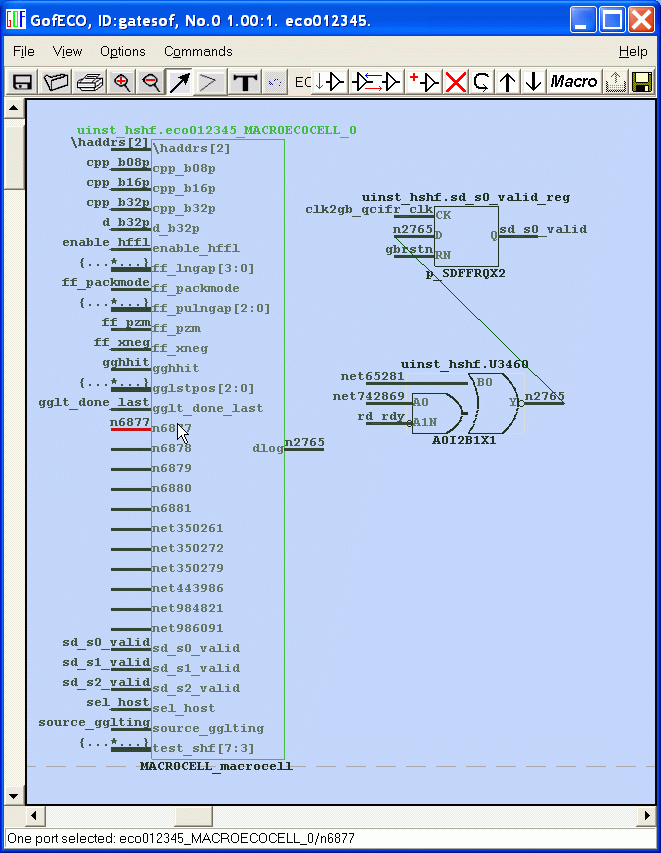
- Select all the the left ports and select 'Same as port' command.
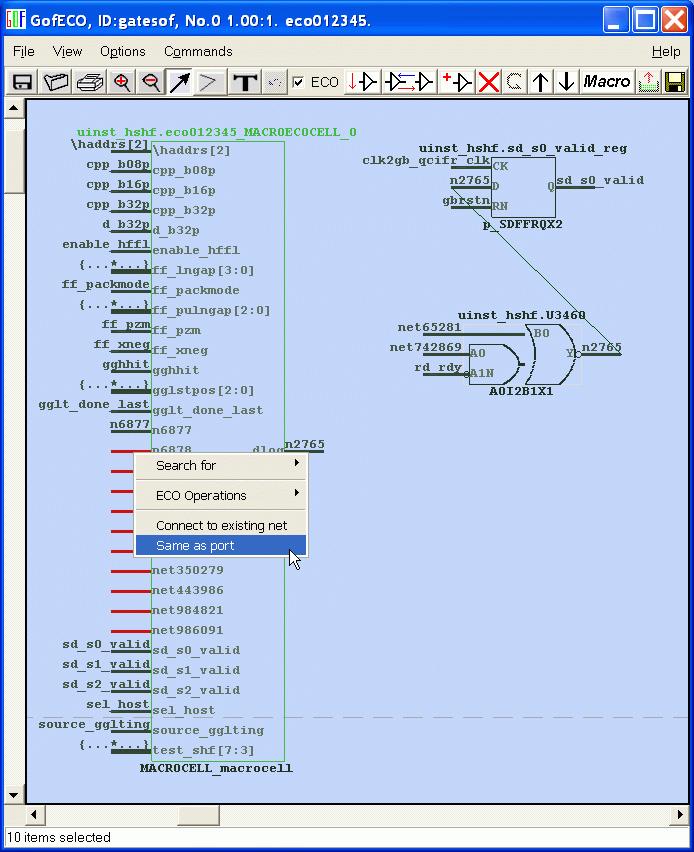
- Info window pops out to show the port 'n6881' can't be done in this way.
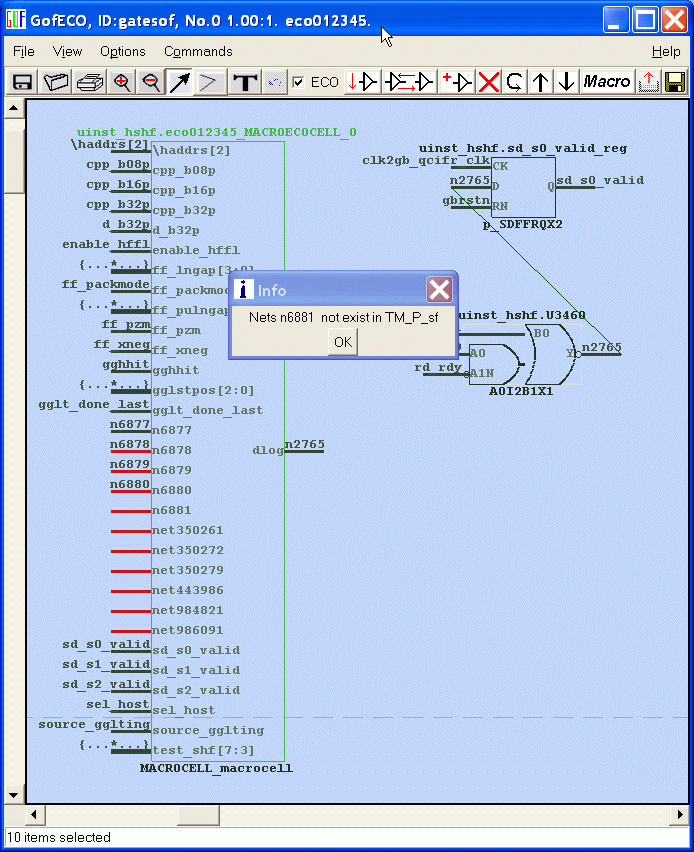
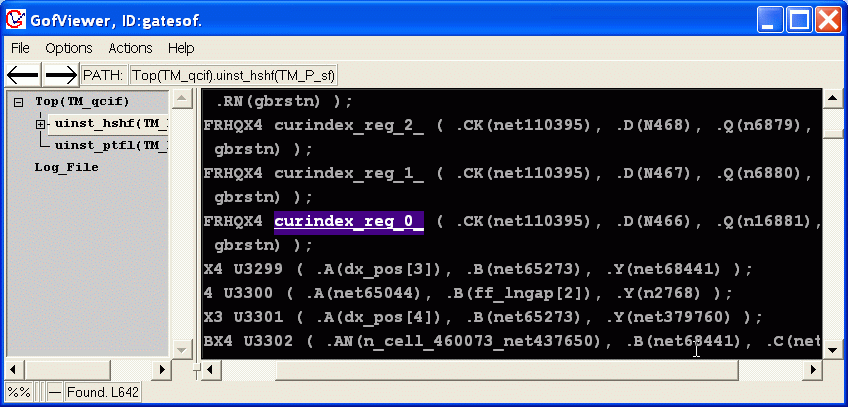
- Use 'Connection hint' and double click to highlight the instance in GofViewer. You can see '.Q(n16881)'.
- It means net n16881 should drive the port 'n6881' of the MacroCell.
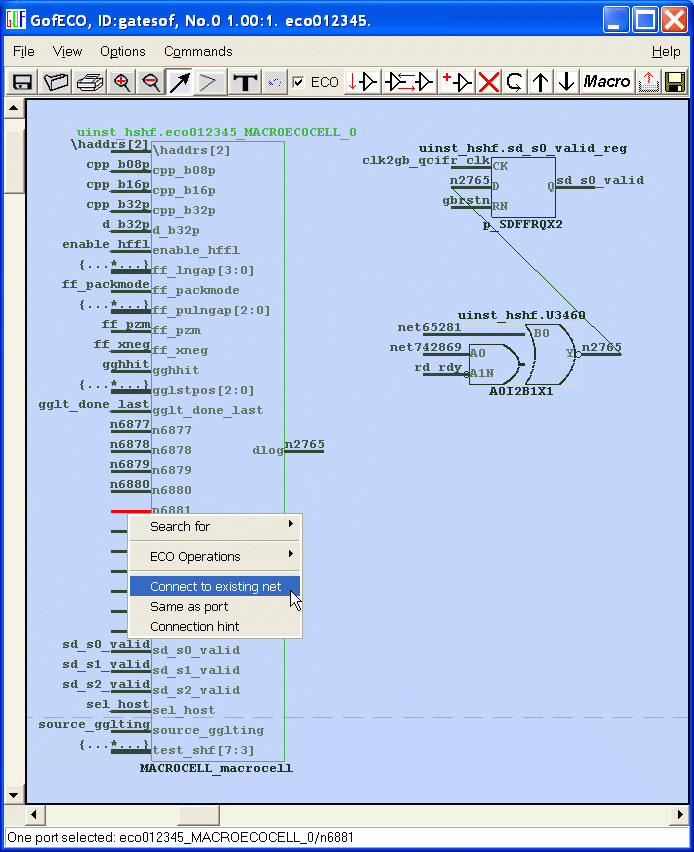
- So choose 'Connect to existing net' command.
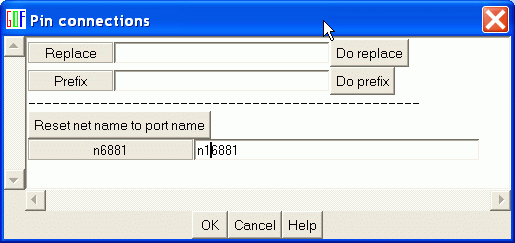
- Fill in n16881 by the right side of n6881.
- 'n16881' appears by the left side of the port 'n6881'.
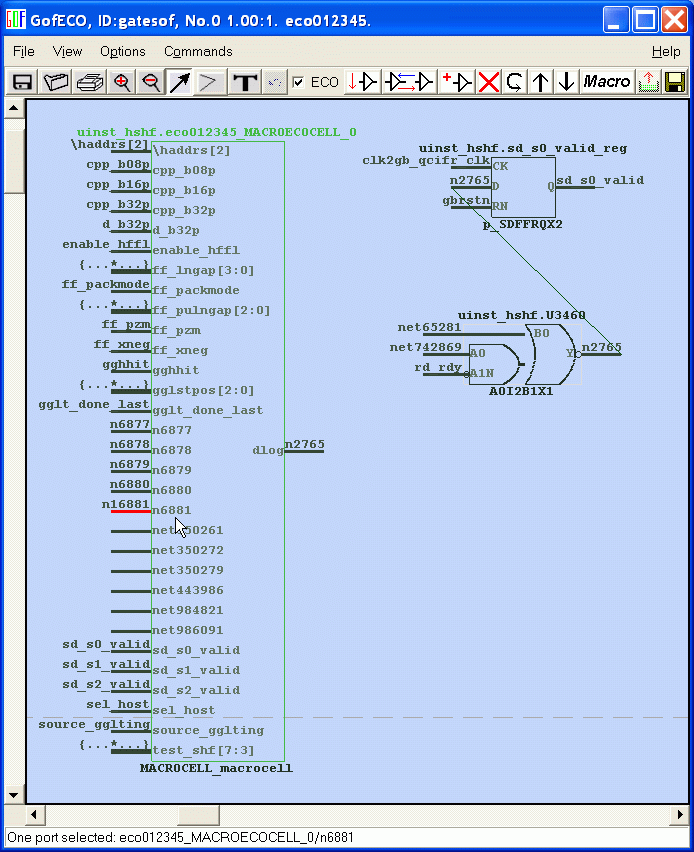
- All the left ports connections are done successfully be 'Same as port' command.
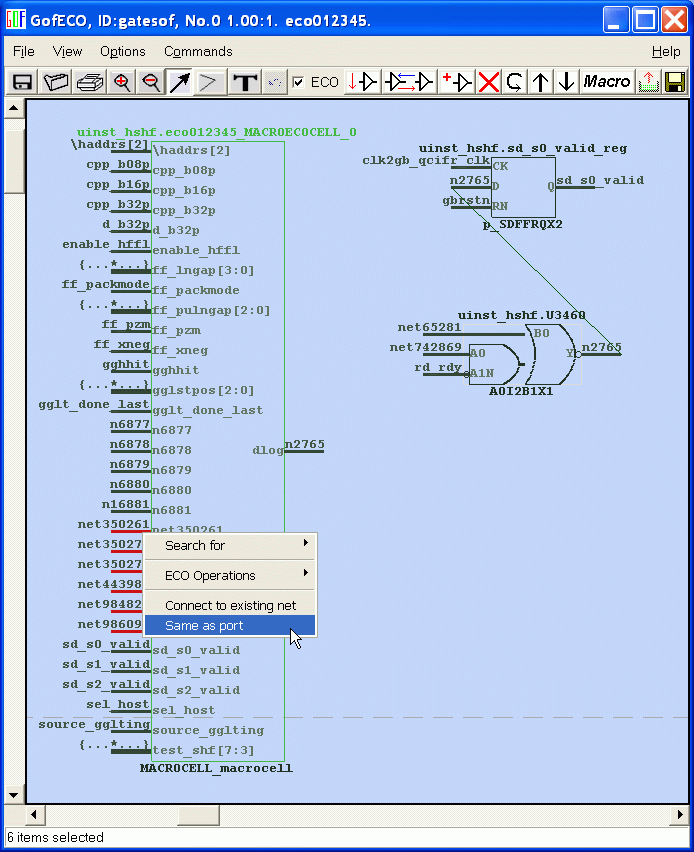
- Click saveeco button when everything is ready.
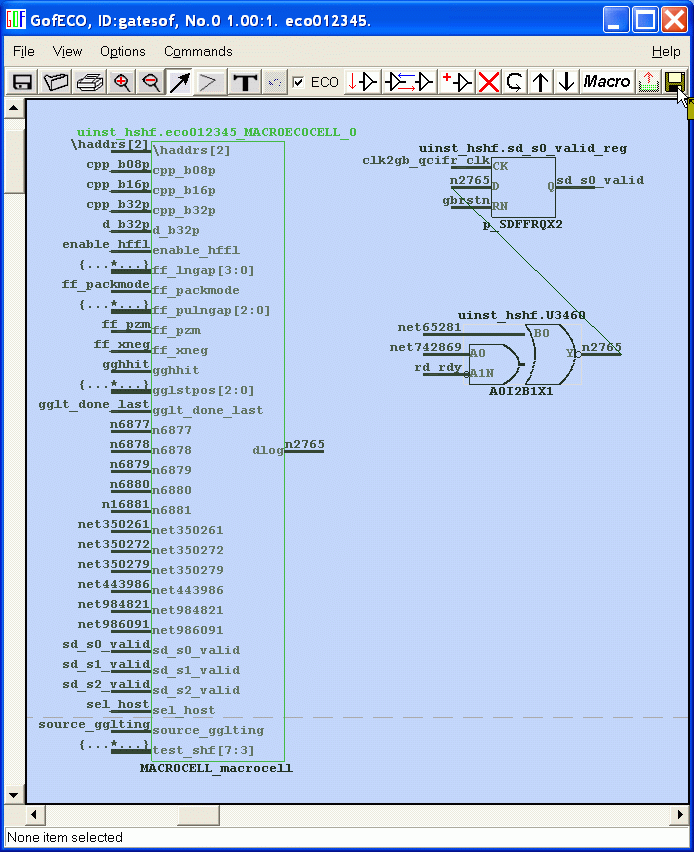
- The following is a portion of synopsys tcl command saved by GofECO.
current_design TM_P_sf
create_cell eco012345_sub_521_U134 artisan_tsmc90lp_hv.synth/NOR2X2
create_net eco012345_sub_521_n62
create_cell eco012345_U8175 artisan_tsmc90lp_hv.synth/AND2X1
create_net eco012345_n3344
create_cell eco012345_U3377 artisan_tsmc90lp_hv.synth/INVX4
create_net eco012345_net69158
create_cell eco012345_U4143 artisan_tsmc90lp_hv.synth/AND2X2
create_net eco012345_n2920
create_cell eco012345_U4040 artisan_tsmc90lp_hv.synth/CLKAND2X4
create_net eco012345_n_cell_460073_net437644
create_cell eco012345_U3389 artisan_tsmc90lp_hv.synth/BUFX2
create_net eco012345_test_shf_13_
create_cell eco012345_U4289 artisan_tsmc90lp_hv.synth/NOR2X4
create_net eco012345_n3204
create_cell eco012345_U3366 artisan_tsmc90lp_hv.synth/BUFX12
create_net eco012345_net443964
<<Previous Page Next Page>>
Follow us:



© 2026 NanDigits Design Automation. All rights reserved.
