NanDigits
Home
Products
GOF ECO
GOF Formal
GOF LEC
GOF Debug
Support
Download GOF
Request License
Documents
GOF User Manuals
GOF Script APIs
GOF Run Command
Use Cases
Video Demos
About
About Us
Contact Us
What People Say
Release History
Chat
Home
Products
GOF ECO
GOF Formal
GOF LEC
GOF Debug
Support
Download GOF
Request License
Documents
GOF User Manuals
GOF Script APIs
GOF Run Command
Use Cases
Video Demos
About
About Us
Contact Us
What People Say
Release History
Chat
Go back to
GofViewer Top
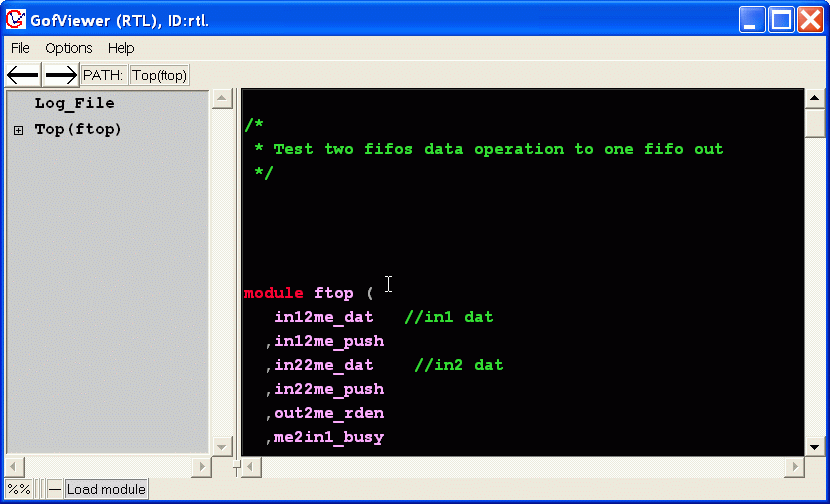
RTL Viewer
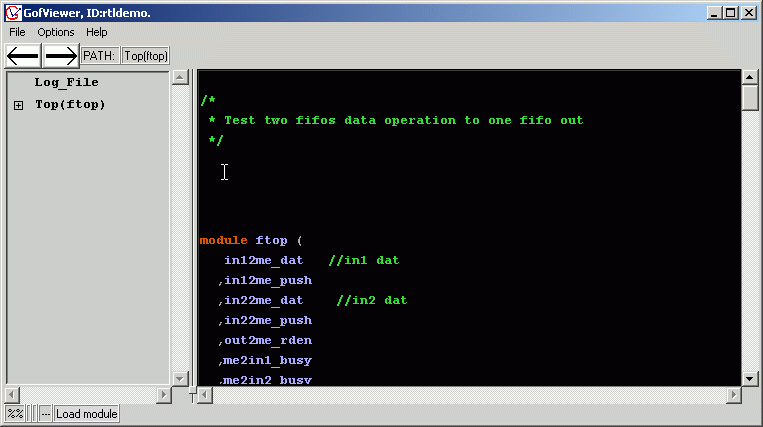
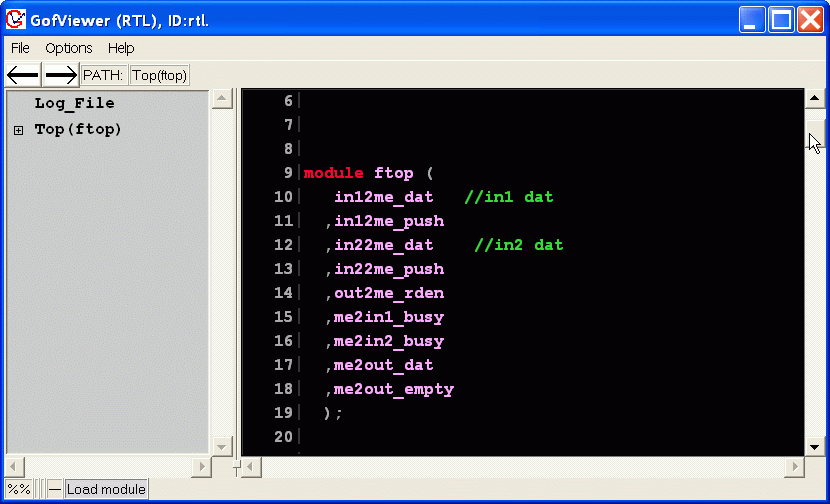
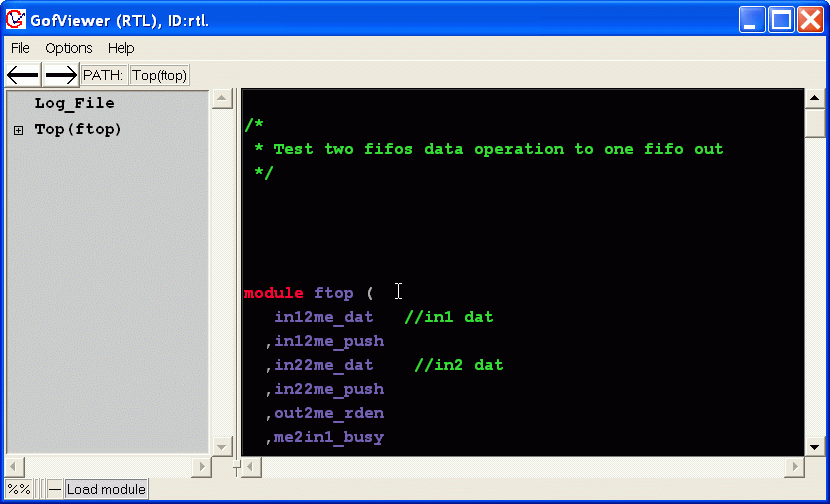
Use -rtl option to load the design as RTL mode.
For example: gof -rtl +libext+.v -y /home/vmodule /home/vmodule/top.v
The key words , comments and net are colorized.
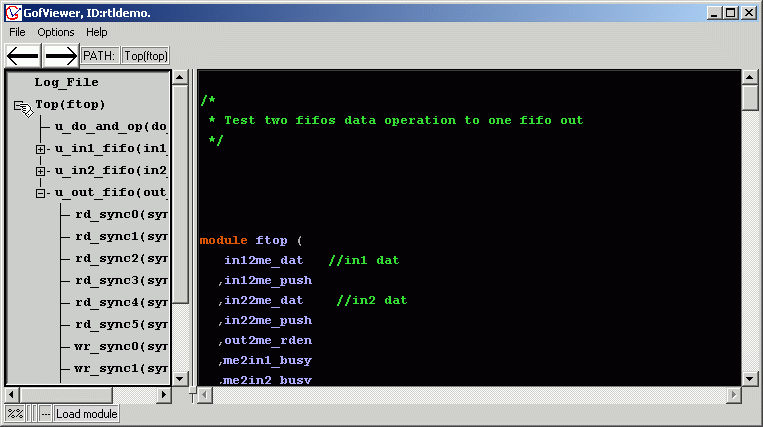
Check the design hierarchy on the left side hierarchical window.
Double click the item to open verilog code on the right side.
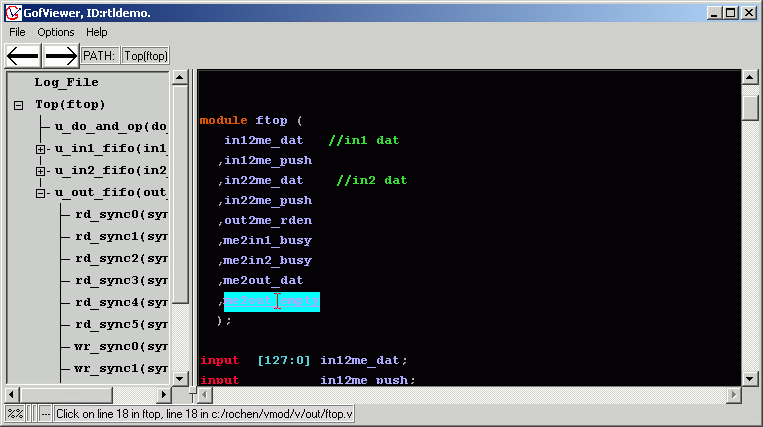
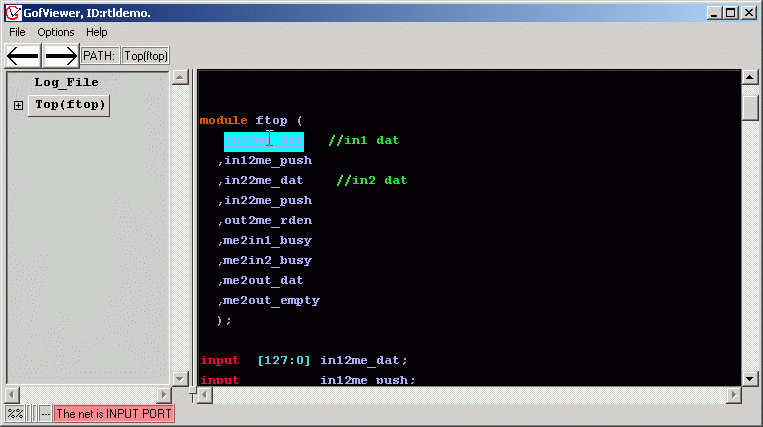
Click on the net to trace the driver.
The driver is highlighted as below.
If it is input port in the top module, the information bar will be red to alert the status.
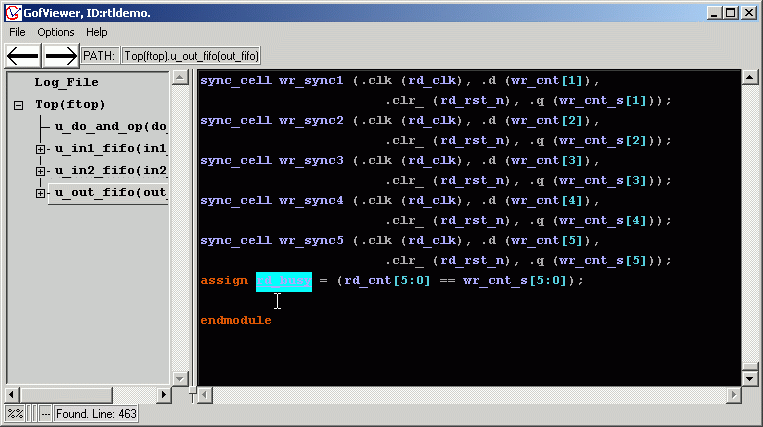
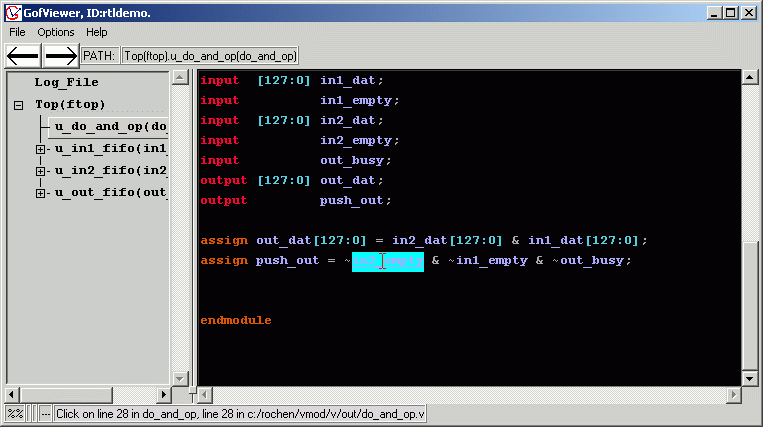
The driver trace is cross-hierarchy, for example, double click on a net used in u_do_and_op instance.
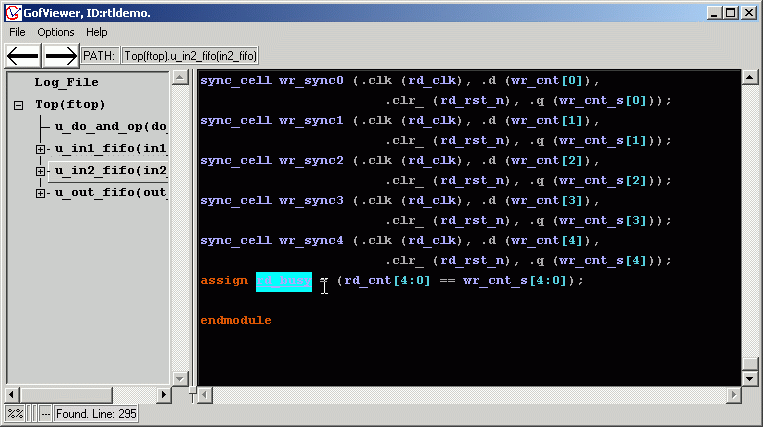
The driver is in u_in2_fifo instance.
From V2.100, line index is on by default.
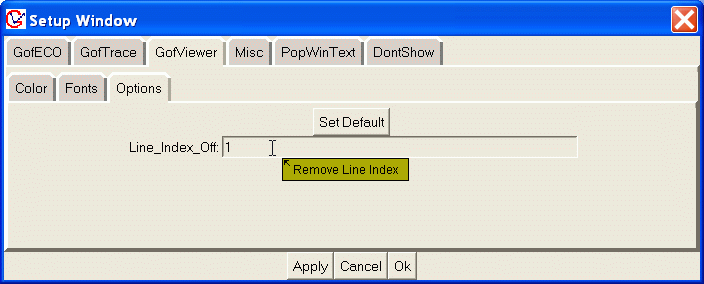
The line index can be removed by Menu Options->Setup
In Setup Window, select GofViewer/Options.
Enter 1 in Line_Index_Off entry.
Click Ok to remove the line index.
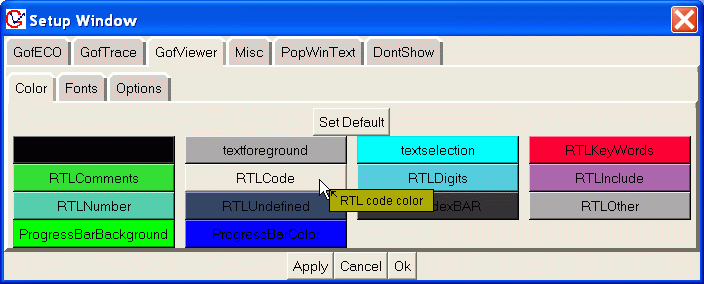
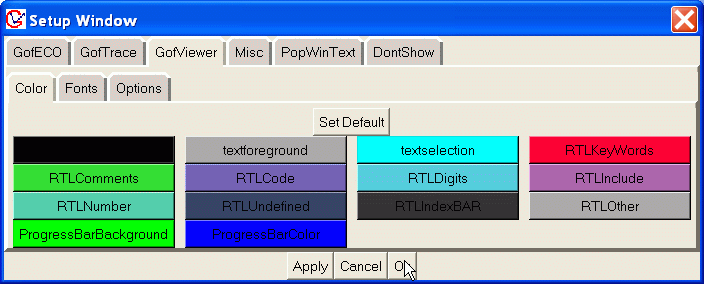
The color is also editable.
In Setup Window, choose GofViewer/Color.
Click on the color item to choose color.
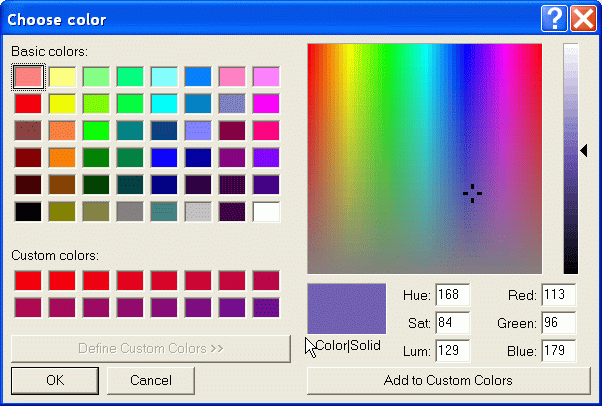
A Choose color window pops up for choosing color.
For example, change RTLCode color.
Click Ok, RTL color will be updated.
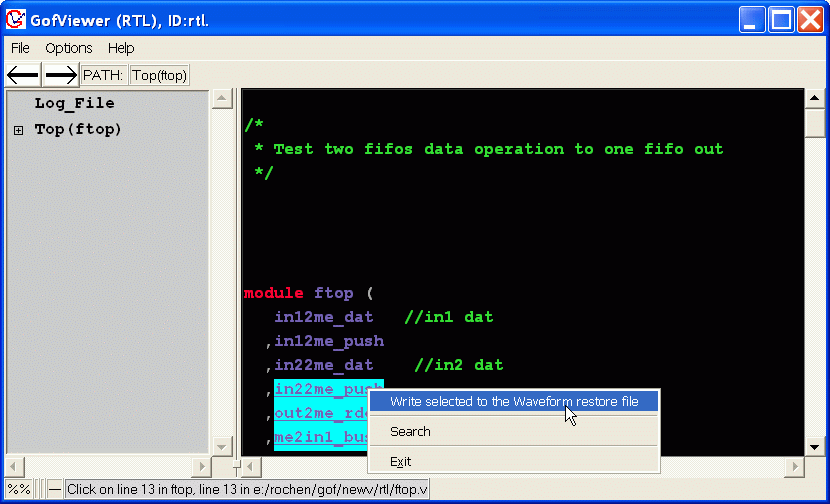
The interface to waveform restore. Check
create waveform restore
for detail.
Follow us:
NanDigits.com US
|
NanDigits.cn China
© 2024 NanDigits Design Automation. All rights reserved.


 NanDigits.com US